'/%3e%3cpath%20d='M20%2048%20C25%2027%2040%2014%2060%2014%20C80%2014%2095%2027%20100%2048%20C88%2038%2074%2033%2060%2033%20C46%2033%2032%2038%2020%2048Z'%20fill='%232A2A2E'/%3e%3cpath%20d='M60%2016%20c-3%20-9%203%20-14%2010%20-12%20c-5%204%20-3%2011%20-7%2017Z'%20fill='%232A2A2E'/%3e%3ccircle%20cx='46'%20cy='56'%20r='12'%20fill='%23fff'/%3e%3ccircle%20cx='74'%20cy='56'%20r='12'%20fill='%23fff'/%3e%3ccircle%20cx='48'%20cy='58'%20r='6.5'%20fill='%2316151A'/%3e%3ccircle%20cx='72'%20cy='58'%20r='6.5'%20fill='%2316151A'/%3e%3ccircle%20cx='50'%20cy='55.5'%20r='2.2'%20fill='%23fff'/%3e%3ccircle%20cx='74'%20cy='55.5'%20r='2.2'%20fill='%23fff'/%3e%3cpath%20d='M60%2068%20L52%2074%20L60%2079%20L68%2074Z'%20fill='%23FF9E5E'/%3e%3c/svg%3e)
One idea in. A designed carousel out.
Carousels are the highest-engagement format on Instagram, and the most work to make. Robyn turns an idea, a link, or an article into designed slides with a caption, matched to your brand colors.
Robyn is an AI carousel maker that turns an idea, a link, or an article into designed, on-brand slides with a matching caption in minutes. It pulls your brand colors automatically, writes every slide in your voice, and schedules or auto-publishes the finished carousel for you.
- ✓Article or idea to structured multi-slide carousel
- ✓Slides designed with your brand palette automatically
- ✓Caption included, scheduled, and auto-published on Pro
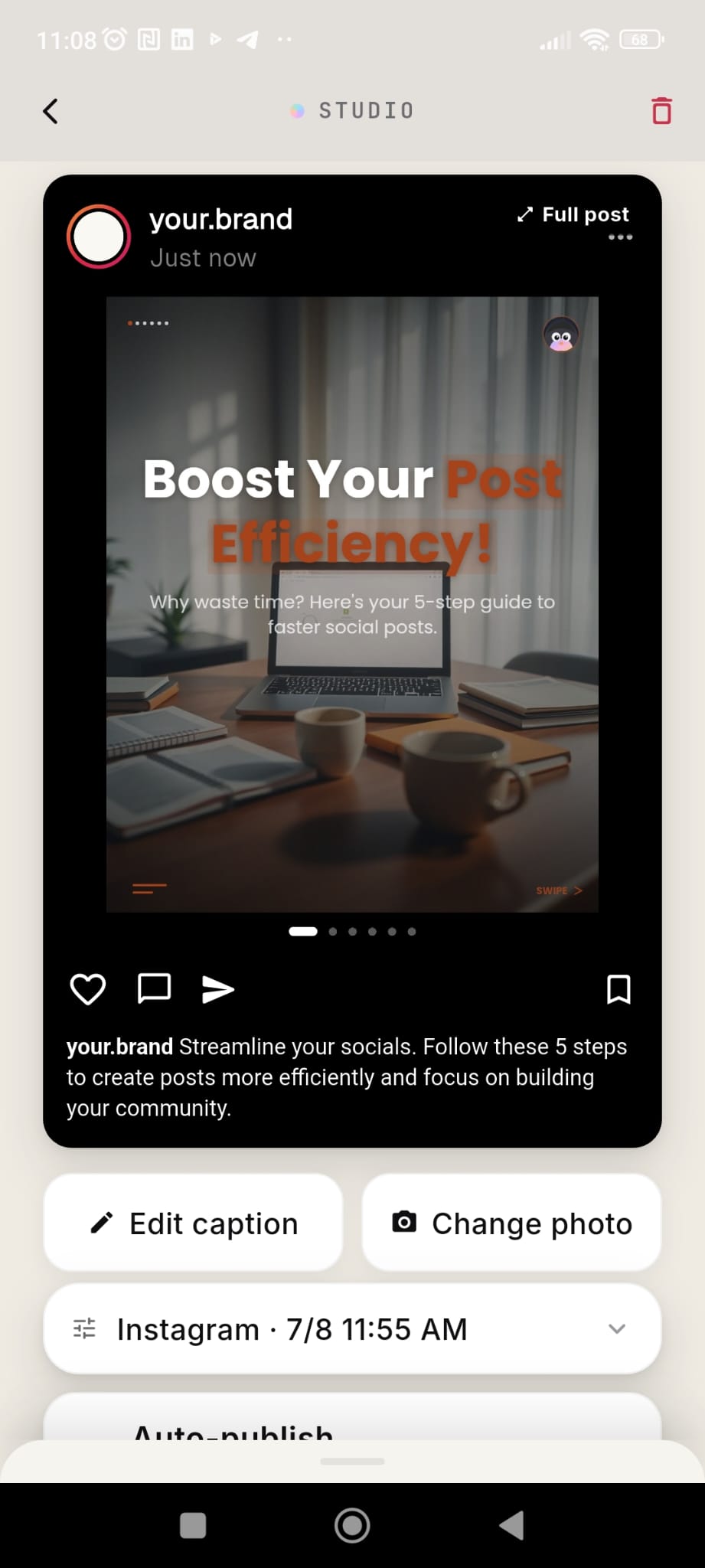
From link to carousel in three steps.
Paste an idea or link
Give Robyn a topic, a thought, or an article URL. It extracts the substance worth posting.
Robyn structures the slides
A hook slide, a clear idea per slide, and a closing CTA, written in your voice and laid out with your brand colors.
Approve and schedule
The finished carousel drops into your queue with its caption. On Pro, it publishes automatically.
Design work, without the design work.
On-brand by default
Robyn reads your logo and brand assets to build a palette, so every carousel looks like it came from your account, not from a template marketplace.
Hook-first structure
The first slide decides whether anyone swipes. Robyn writes and designs the hook slide to earn the swipe.
Visual variety
Layouts rotate between designs so your carousels don’t all look stamped from the same mold.
Caption + schedule included
Every carousel comes with a matching caption and a slot in your weekly plan. No exporting to another tool.
Frequently asked questions
What is an AI carousel maker?
A tool that turns raw input (an idea, a topic, an article) into a finished multi-slide social media carousel: the slide structure, the design, and the caption. Robyn does all three inside one app, matched to your brand.
Can Robyn make a carousel from an article?
Yes. Paste a link and Robyn reads the article, pulls out the ideas worth sharing, and structures them into slides with a hook and a closing CTA.
How many slides can a carousel have?
Robyn builds carousels from 2 up to 10 slides (the Instagram maximum), choosing the count that fits the content.
Do the carousels match my branding?
Yes. Robyn derives a palette from your logo and brand assets, so slides ship in your colors without you touching a design tool.
Is the carousel maker free?
Robyn is free to download and carousels are included. The Pro plan adds a designed image for every slide (free plan designs the hook slide) plus unlimited generation and auto-publishing.
Can I make a carousel from an article or blog post?
Yes. Paste the link and Robyn reads the article, structures the key points into slides, designs them to your palette, and writes the matching caption.
How many slides should an Instagram carousel have?
Most high-performing carousels run 6 to 10 slides: a hook, one idea per slide, and a closing CTA. Robyn structures its decks that way automatically, and you can edit any slide before posting.
Can I edit the slides after Robyn designs them?
Yes. You can change the text, swap or regenerate any slide’s image, change the theme color, or delete slides, per slide, inside the app.
Robyn does more than this.
Swipeable content,
without the Canva hours.
Free on iOS and Android. Start your 7-day Pro trial today.